RouteOS Features
Everything you need to take and manage direct online bookings.
RouteOS gives taxi, private-hire, airport-transfer and chauffeur companies the tools to quote journeys, accept booking requests, configure fares and manage bookings through their own website.
Online quotes
Direct bookings
Flexible pricing
Booking management
Customer side · choose a vehicle
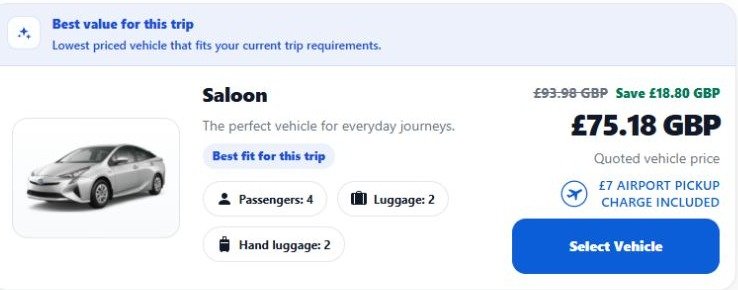
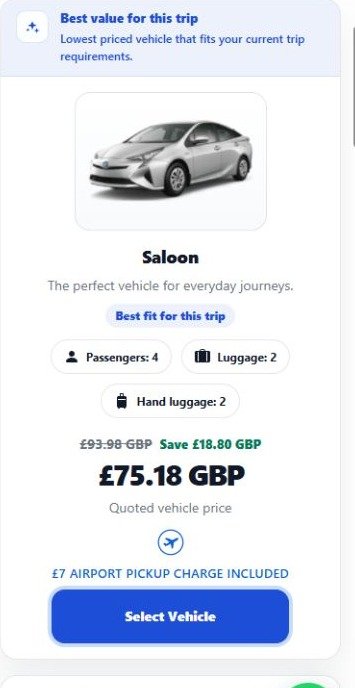
Actual RouteOS quote interface. Example journey and operator-configured fare.
Booking received
Pending operator review
↓
Operator side · booking management
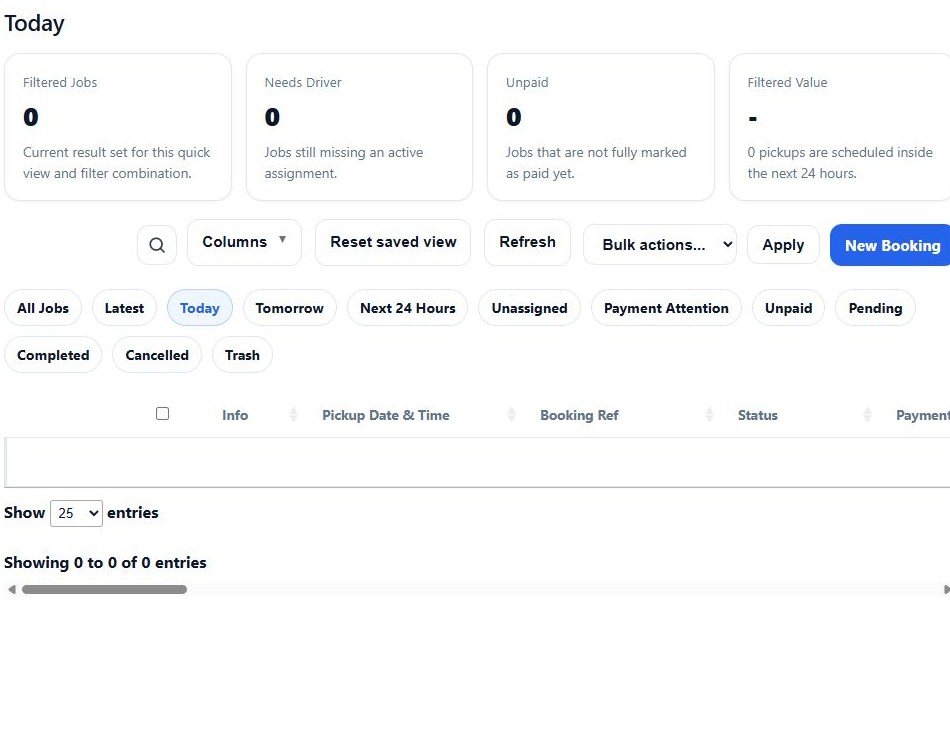
Actual Today booking view; shown empty to protect customer details. On small screens, swipe across the interface.
Illustrative workflow connecting real interface screenshots.
Customer booking
Give customers a clear path from journey to booking.
RouteOS lets a customer enter their journey, receive a configured quote, choose a vehicle and submit the booking directly through your website.

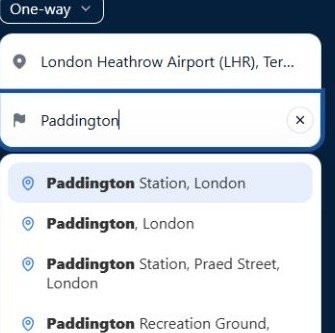
Actual RouteOS journey widget. The mobile view shows location search.
01
Enter the journey
Pickup, destination, date and time, with return journeys and via stops where configured.
02
Get a quote
The quote uses the operator’s configured pricing rules.
03
Choose a vehicle
Compare vehicle images, passenger and luggage capacities, and quoted fares.
04
Enter passenger details
Provide customer contact information, lead passenger details and journey notes.
05
Choose a payment option
Use the payment methods enabled for that booking.
06
Submit the booking
The booking enters RouteOS for the operator to manage. Receipt does not always mean confirmation.
Journey options
Built for real pre-booked journeys.
Collect the details for the trip the customer actually wants to make.
One-way or return. Set the outbound journey and, where needed, a separate return date and time.
Via stops. Add intermediate stops where enabled, with configured additional-stop charges.
Passengers and luggage. Show vehicle capacities and collect passenger, luggage and seat requirements.
Pickup details and extras. Record flight details and offer meet & greet or child seats where configured.
Actual vehicle selection. The fare and available options depend on the operator’s settings.
Operator dashboard
See and manage bookings in one place.
Once a booking enters RouteOS, the operator gets the journey and customer information in a structured booking record.
Current RouteOS booking management screen, with an empty Today filter to protect customer records. On small screens, swipe across the interface.
Open and edit the record
Review customer, passenger and journey details. Update vehicle, price and booking notes.
Manage the job
Change job and payment statuses, assign a driver manually and keep internal status notes.
Handle the paperwork
Use invoice and receipt tools, send driver details and find the booking in the calendar.
Pending bookings
You decide how the booking is handled.
Online booking does not have to mean automatic acceptance. RouteOS supports reviewing a pending booking before changing its status to Confirmed.
New booking
→
Pending
→
Operator review
→
Confirmed
Illustrative workflow: “operator review” is an action, not a booking status. The passenger can submit the journey online while the operator keeps control over whether and how the job is accepted.
Flexible pricing
Configure RouteOS around the way you price journeys.
Combine pricing methods and adjustments to reflect the fares your business charges.
Fixed, distance and time. Configure route prices, per-mile and per-hour/minute pricing, with minimum fares and vehicle-specific settings.
Locations, dates and times. Apply configured location, zone, day/time and date-based surcharges.
Stops, extras and discounts. Set additional-stop charges, item charges and discount codes.
Exact suitability depends on the individual operator’s pricing structure.
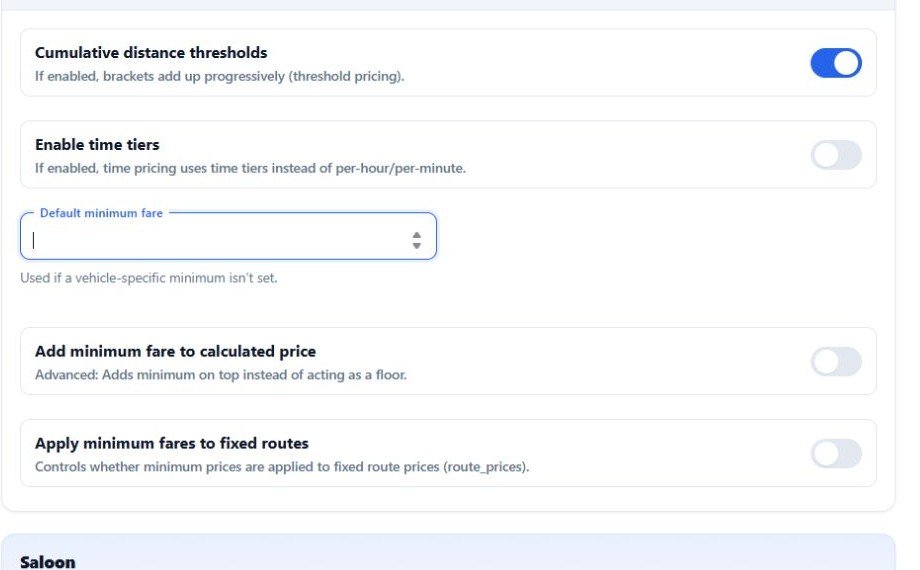
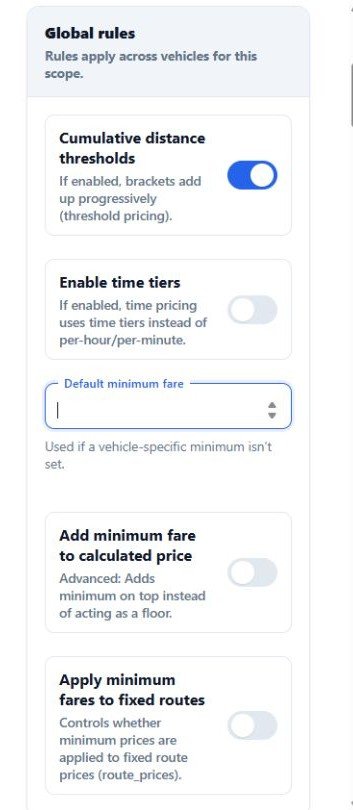
Actual distance/time pricing controls, including minimum-fare rules. Shown settings are configuration examples.
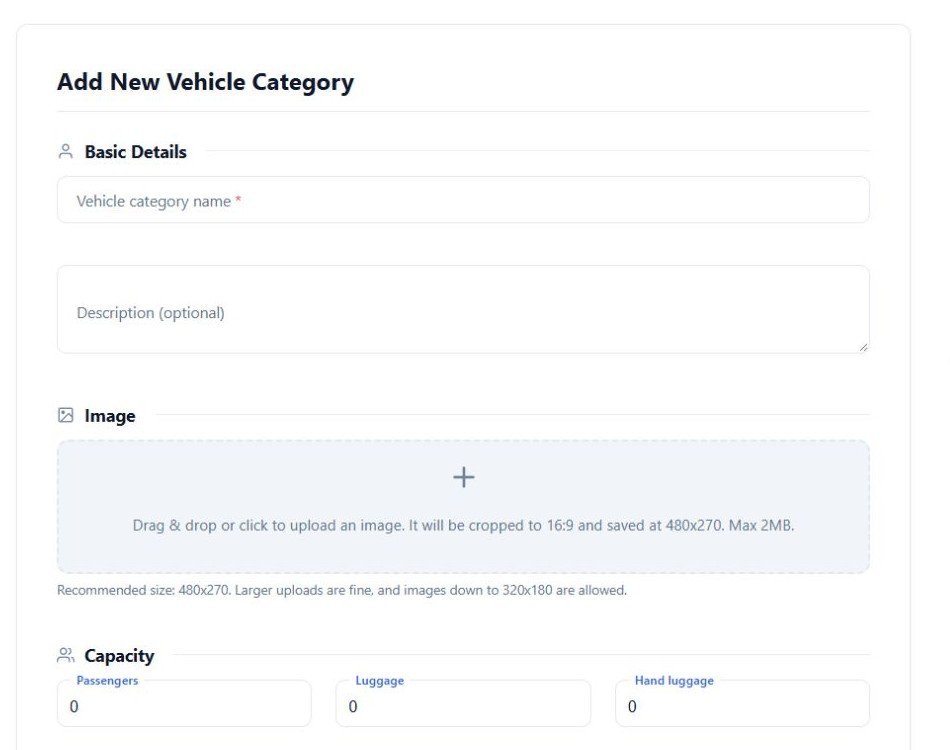
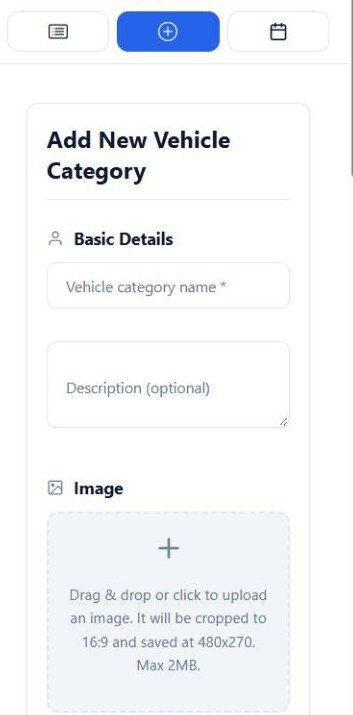
Actual vehicle-category settings. Names, images, capacities and prices are configured by the operator.
Vehicle options
Show the vehicles customers can book.
Create vehicle categories with a name, description, image, passenger and luggage capacities, and pricing settings.
Capacity information. Configure passengers, luggage, hand luggage and supported seat or wheelchair quantities.
Display controls. Choose ordering, visibility and whether a category can be self-booked online.
These are configured vehicle options; they do not represent live fleet availability.
Locations and zones
Configure the places your business serves.
Manage named locations and configured areas so the quotation system reflects your service.
Location records
Airports, train stations, cruise ports, hotels, towns, postcodes and addresses can be configured with their location details and display settings.
Zone rules
Configure include, exclude and surcharge zones, with pickup/drop-off and channel settings. Use them alongside your pricing rules.
Booking extras
Make the additional requirements clear.
Offer the options your company provides and configure how they are charged.
Child, booster and infant seats
Meet & greet by location or terminal
Additional stops
Operator-defined item charges
Available extras depend on your configuration. Meet & greet can be included or carry a configured surcharge. Recording flight details does not imply live flight monitoring.
Customer information
Keep the passenger details with the booking.
Collect customer contact details and, when the customer is booking for someone else, separate lead passenger information.
Journey notes, pickup information and passenger requirements remain part of the booking record for the operator to review and edit.
The focus here is the information needed to handle a booking. No full CRM or customer-account functionality is being claimed.
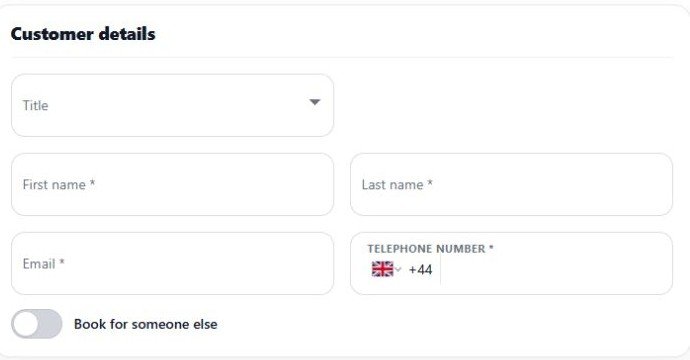
Actual customer details form, shown blank. No customer information is included. On small screens, swipe across the interface.
Driver information
Assign a driver when you are ready.
Keep driver records, including contact information and notes, and manually assign a driver and vehicle to a job.
Assignment details
Record the driver, vehicle, commission and assignment notes in the job’s assignment controls.
Driver information for passengers
Use the supported driver-details notification tools when the assignment is ready to share.
This is manual booking assignment. It does not imply automatic dispatch, GPS tracking, a driver app or shift management.
Booking calendar
See the jobs in your diary.
Browse bookings in month, week, day or list views. Filter by booking status, driver assignment and payment status, and open a job for its details.
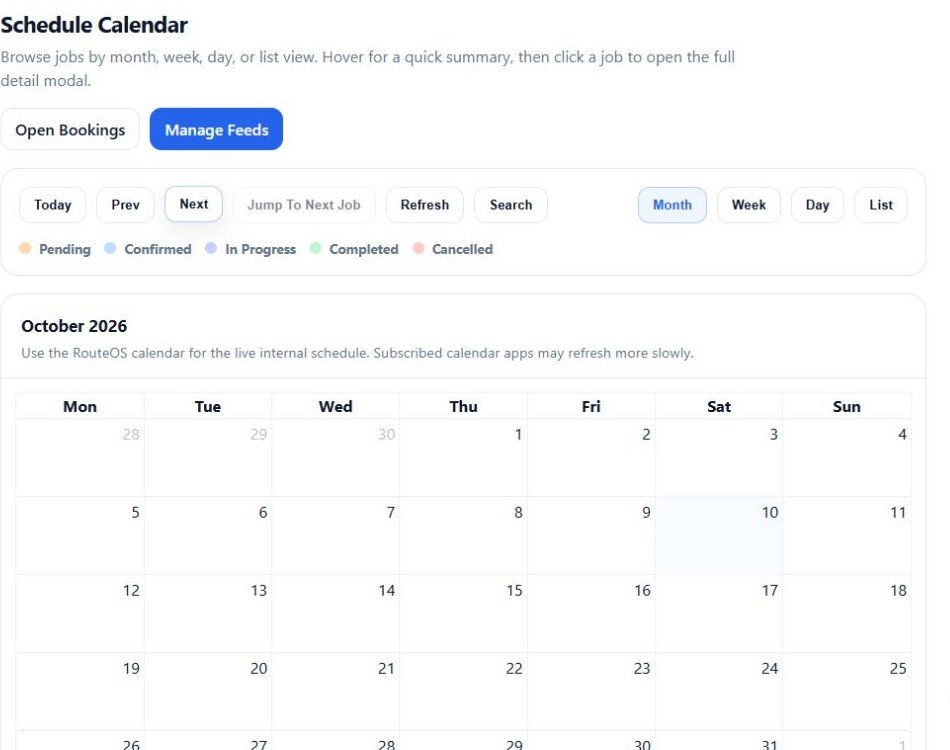
Actual RouteOS booking calendar. An empty October 2026 view protects customer information. On small screens, swipe across the interface.
The calendar is a view of bookings. It is not presented as automatic fleet scheduling or workforce management.
Payments
Display the payment methods you enable.
Configure the payment methods available on the customer booking form, and manage the payment status of the booking.
Manual and gateway options
The current product includes Cash, Stripe and PayPal payment-method configuration, with display, channel and journey-scope controls.
Third-party processing
Online payments use the connected provider. RouteOS is not the payment processor; provider accounts, terms and processing fees apply.
Booking notifications
Keep customers and the operator informed.
Configure email and SMS rules for supported booking events, including creation, confirmation, updates, cancellation and driver details.
Choose the rules to enable and use the available message-template controls. A booking acknowledgement and a confirmation are different events.
Email delivery needs the configured email service. SMS uses a supported third-party provider such as Twilio or PureSMS, with its own account and charges.
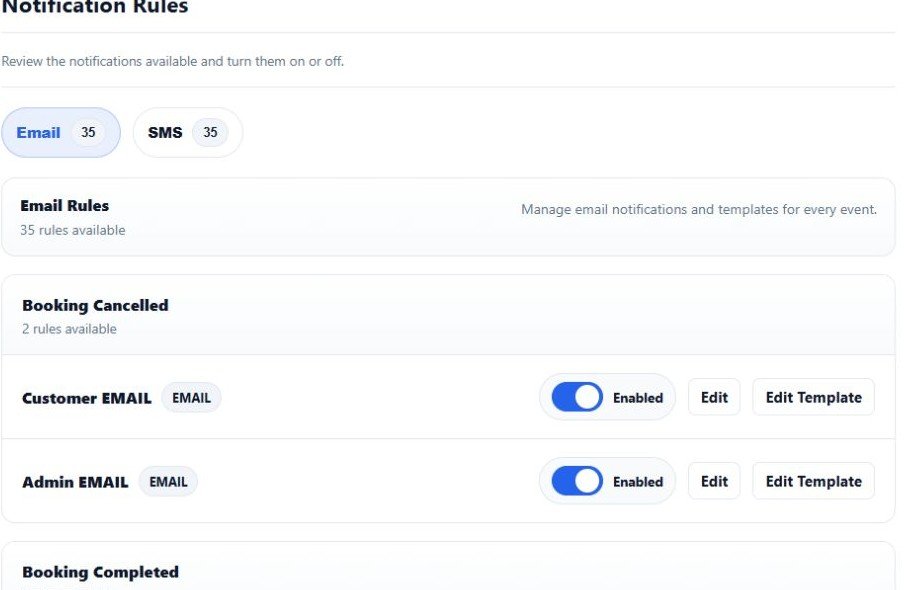
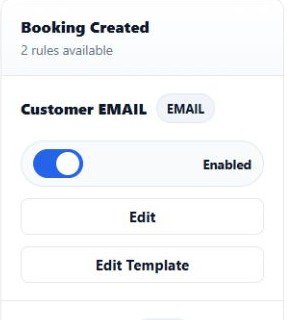
Actual notification rules. The mobile crop shows a Booking Created customer email rule.
Maps and journey calculations
Use mapping for journey quotes.
Google Maps configuration supports location lookup and journey distance/time calculations used by the quotation workflow.
Google service credentials and suitable configuration are required. Google/API usage can carry separate charges. Mapping is not a claim of live driver tracking, automatic route optimisation or dispatch.
WordPress integration
The booking system fits into your website.
Use RouteOS as part of a complete professional WordPress website, or add the plugin to a suitable WordPress website you already have.
New website + booking system
A WordPress website with RouteOS quotation, booking and the operator dashboard included.
Your existing WordPress website
The RouteOS WordPress Booking Plugin adds the booking workflow to a suitable existing site.
Ownership and control
Your website. Your hosting. A one-off RouteOS licence.
Your WordPress website and RouteOS installation run on your hosting. You can edit website text, images and pages, and continue developing the website.
Self-hosted
WordPress editing
One-off software licence
No monthly RouteOS software licence
Normal running costs can still apply: hosting, domain renewal, payment processing, SMS and Google/API usage. Company Edition permits multiple websites owned or operated by the same licensed company; it is not an unlimited licence for unrelated businesses.
Complete feature index
Find the detail you need.
Explore the current verified feature groups. Availability on the customer form depends on your operator configuration.
Customer booking
- Pickup/destination and date/time
- One-way and return journeys; via stops
- Operator-configured quote and vehicle selection
- Customer and lead passenger information
- Passenger/luggage requirements and journey notes
- Configured extras, payment methods, tips and discount codes
Pricing
- Fixed route prices; distance/time rules
- Default and vehicle minimum fares
- Vehicle-specific base fare and per-mile settings
- Location, zone, date and day/time adjustments
- Additional-stop and item charges
- Discount-code conditions and validity windows
Booking management
- Search/filter booking views and booking details
- Edit customer, journey, vehicle and price information
- Pending and Confirmed statuses; internal status notes
- Payment status and manual driver assignment
- Invoice/receipt tools; driver-details notifications
- Booking calendar
Vehicles
- Category name, description and image
- Passenger, luggage and hand-luggage capacities
- Supported child/booster/infant-seat and wheelchair quantities
- Base fare and per-mile price settings
- Category ordering, visibility and self-booking controls
Drivers
- Driver records and contact information
- Driver notes
- Manual driver and vehicle assignment
- Commission and assignment notes
- Supported driver-details notifications
Locations and zones
- Airport, station, cruise port, hotel, town, postcode and address records
- Location aliases and display controls
- Include, exclude and surcharge zones
- Pickup/drop-off and channel rules
- Configured meet & greet by location/type/terminal
Notifications
- Email and SMS booking-event rules
- Customer and operator notifications where configured
- Booking Created, Confirmed, Updated and driver-detail events
- Enable/disable rules and message-template controls
- Configured email service; supported SMS provider account
Integrations and configuration
- WordPress booking plugin
- Google Maps location and distance/time configuration
- Stripe and PayPal payment-method configuration
- Cash/manual payment configuration
- Twilio and PureSMS SMS provider configuration
- Separate third-party credentials and usage charges
Ownership and licensing
- Own hosting and WordPress website
- Editable website text, images and pages
- One-off RouteOS Company Edition licence
- No monthly RouteOS software licence
- Company-owned/operated websites within the licence
- Six months of updates and bug fixes included
Product scope
What RouteOS does — and what it does not claim.
A taxi booking system should make its scope easy to understand.
Built to support
✓ Online journey quotation and direct booking requests
✓ Vehicle options and configured pricing rules
✓ Booking records, statuses and manual driver assignment
✓ Supported payments, notifications and booking calendar
✓ A self-hosted WordPress website and booking installation
Not presented as
× A ride-hailing marketplace or source of automatic enquiries
× Autonomous dispatch or automatic fleet scheduling
× Live driver GPS tracking or real-time fleet availability
× Live flight monitoring or a replacement for every operational tool
× A way to generate website traffic by itself
Two ways to use RouteOS
Choose the website setup that fits your business.
Website + Booking System
A professional WordPress website with RouteOS quotation, booking and the operator dashboard included.
£499 standard£299 one-off
Current rollout price until 30 November 2026.
WordPress Booking Plugin
Add RouteOS to a suitable existing WordPress website. Setup on one suitable website is included.
£299 one-off
No monthly RouteOS software licence.
Both include six months of RouteOS updates and bug fixes. See the Pricing page for licence terms and third-party running costs.
Questions about the product
Features FAQs
Straight answers about online quotes, booking management and the current product scope.
Can customers get a quote without calling?
Yes. They can enter a journey and see a quote using the operator’s configured pricing rules and vehicle options. Phone, email and WhatsApp can remain part of how your business takes enquiries.
Does RouteOS support return journeys?
Yes. The current booking interface supports one-way and return journeys, with separate return date/time and journey details.
Can I set fixed airport transfer prices?
Yes. Fixed route pricing is available alongside distance/time pricing and configurable adjustments. Exact suitability depends on your pricing structure.
Can bookings stay Pending until I review them?
Yes. The operator can manage Pending bookings and change the job status to Confirmed after review. A submitted booking is not automatically described as confirmed.
Does RouteOS automatically dispatch drivers?
No autonomous dispatch is being claimed. The current tools support manual driver and vehicle assignment by the operator.
Does RouteOS provide live driver GPS tracking?
Live driver GPS tracking is not being claimed. Vehicle options, driver records and the booking calendar should not be confused with a live fleet-tracking service.
Can customers pay online?
The current product includes Stripe and PayPal payment-method configuration, as well as Cash/manual options. The methods shown depend on the operator’s configuration. Online processing uses the connected third-party provider and its fees apply.
Can RouteOS send SMS notifications?
Yes, through a supported configured third-party provider. The current SMS settings include Twilio and PureSMS. Provider accounts and messaging charges are separate from the RouteOS licence.
Does RouteOS work with WordPress?
Yes. Choose a complete RouteOS Website + Booking System or the RouteOS WordPress Booking Plugin for a suitable existing WordPress website.
Is there a monthly RouteOS software fee?
RouteOS is sold using a one-off software licence with no monthly RouteOS software licence. Hosting, domain renewal, payment processing, SMS and Google/API usage can have separate costs.
Will RouteOS bring traffic to my website?
RouteOS gives website visitors a way to quote and book. It does not generate traffic or enquiries by itself; your business still needs its own marketing and customer relationships.
See how RouteOS handles a direct booking.
Explore the customer quote and booking journey, then see the controls available to the operator.
Need a new website too? View Website Package →
See taxi booking website examples →